Software & Accounts
Recommended
Github Account & Student Developer Pack
Create an account by going to GitHub. If you already have an account, make sure to add your “nfi” email as a secondary address.
Please add your GitHub handle to the following document to be added to NFI organisational Github groups.
Instructions for how to setup your Github account and how to sign-up for the Github Student Developer Pack will be given in class.
QGIS
QGIS is a free and open-source Geographic Information System (GIS) that allows users to create, edit, visualize, analyze, and publish geospatial information. It supports a wide range of file formats and functionalities, making it a powerful tool for mapping and spatial analysis.
We will make good use of it for our daily activities
Download and install QGIS form the official download links.
VS Code
Python classes will make use of an online Notebook environment called Google Colab. However, for those that wish to take Python development more seriously for the longer term, we recommend giving Visual Studio Code (VS Code) a try once you’re more comfortable with Python. It is a free and open-source Integrated Development Environment (IDE) developed by Microsoft. It is highly customizable and supports a wide range of programming languages and frameworks through extensions.
Download and install VS Code from the official download links.
Google Earth Engine
Google Earth Engine is a cloud-based platform for planetary-scale satellite data analysis. It provides a wide range of datasets and tools for analysing and visualizing geospatial data. It is widely used in environmental science, remote sensing, and geospatial analysis.
To create a new account in Google Earth Engine, follow these steps:
Go to the Google Earth Engine Sign-Up and click on the “Get Started” button.
Sign in with your NFI - Google Account (
@normanfosterinstitute.org)Select Existing Project:
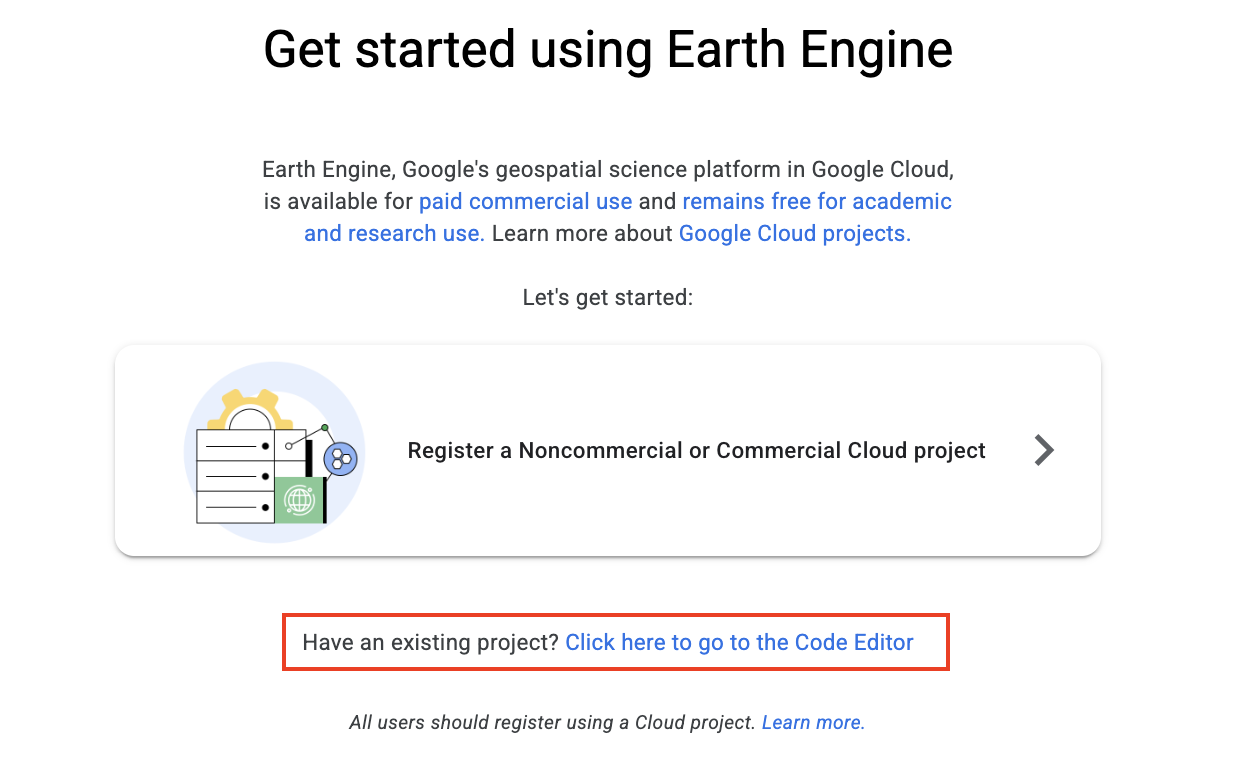
- Instead of creating a new project, select “nfi-students2025” as your project when prompted.
If the project does not appear, request access from the staff.
- Access the Earth Engine Code Editor: Once approved, visit the Earth Engine Code Editor to start exploring datasets, running scripts, and visualizing geospatial data.
Rhino 8
Rhino 8 is a 3D computer graphics and computer-aided design (CAD) application. It is widely used in architecture, industrial design, and urban planning for creating 3D models.
We will be using Rhino 8 further down the line for urban design projects.
Optional
CARTO Account
Setup for the CARTO account will be detailed in class after activating the Github Student Developer Pack.
Tableau
Download and install Tableau Desktop using your UAM email address and credentials. This same credentials will be used for Tableau Prep, if you wish to make use of it.
Anaconda
Anaconda makes it easy to install and use Python and related packages for data science and scientific computing. This used to be the easiest way to get started, but Google Colab now tends to be the preferred option. If you want to try Anaconda as an option, then see the official download links
Table Plus
This is a tool for interacting with databases. Only recommended for those of you who wish to work with PostGIS. Download and install from TablePlus.